The CSCW 2023 Discord is a chat-based social space to meet with other attendees, and also a space for attendees to ask authors questions in their dedicated channel. If you have ever used Slack – it works just like that. This page will guide you through joining Discord and participating in CSCW 2023 through Discord.
First things first
You will need a Discord invite link to join the CSCW 2023 Discord, which you will receive in your email before the conference starts. If the conference has started and you still don’t have a Discord invite link, email hybrid2023@cscw.acm.org.
If you don’t have a Discord account, make sure to sign up for one before you proceed. The CSCW 2023 Discord also requires you to have a verified email with Discord, so also make sure to verify your email.
For Discord Web users: If you aren’t using the Discord app, and if you aren’t a regular Discord user, we highly recommend that you clear your browser cache, log into Discord, and then proceed with the next steps. This will help you avoid most login issues such as Discord asking you to claim your account.
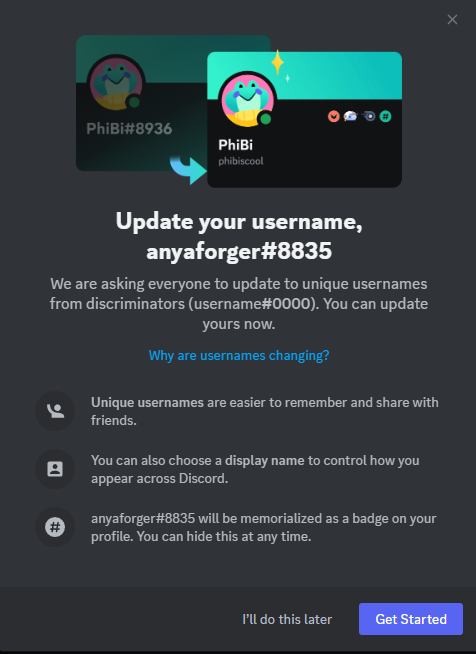
If you’re greeted by a screen like this when you log in, and you’re not sure what it’s asking you to do, please ignore this by clicking “I’ll do this later.” It doesn’t impact any functionality of the CSCW 2023 Discord.
Step-by-step Instructions for joining the CSCW 2023 Discord
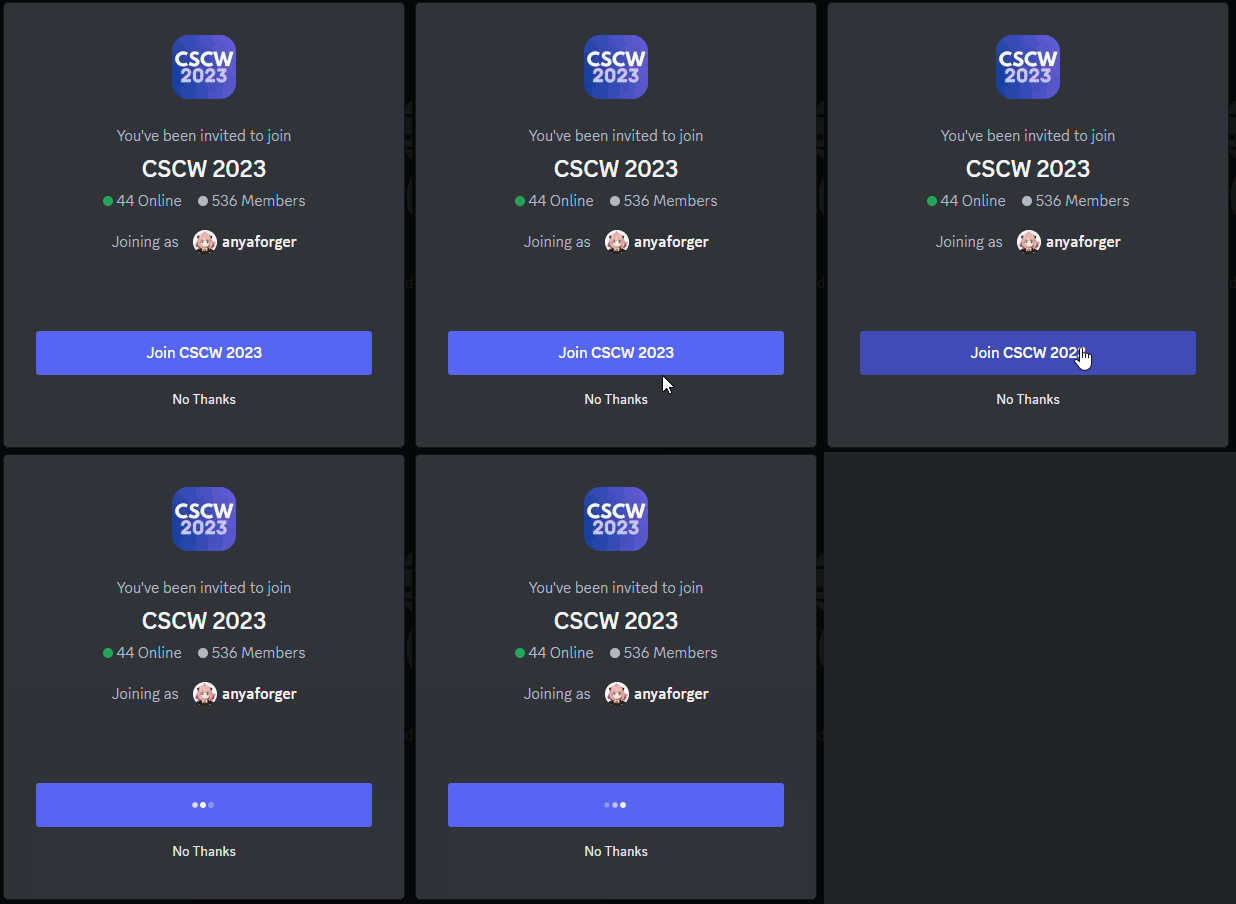
- Once you click the invite link, it will prompt your Discord app with “You’ve been invited to join CSCW 2023”. Click “Join CSCW 2023” to join the server
- On the bottom of the Discord window, you will see a banner that says “You must complete a few more steps before you can talk”
- Click “complete,” read the code of conduct (this is important – do read it!), check the box to agree to the code of conduct and click “submit.”
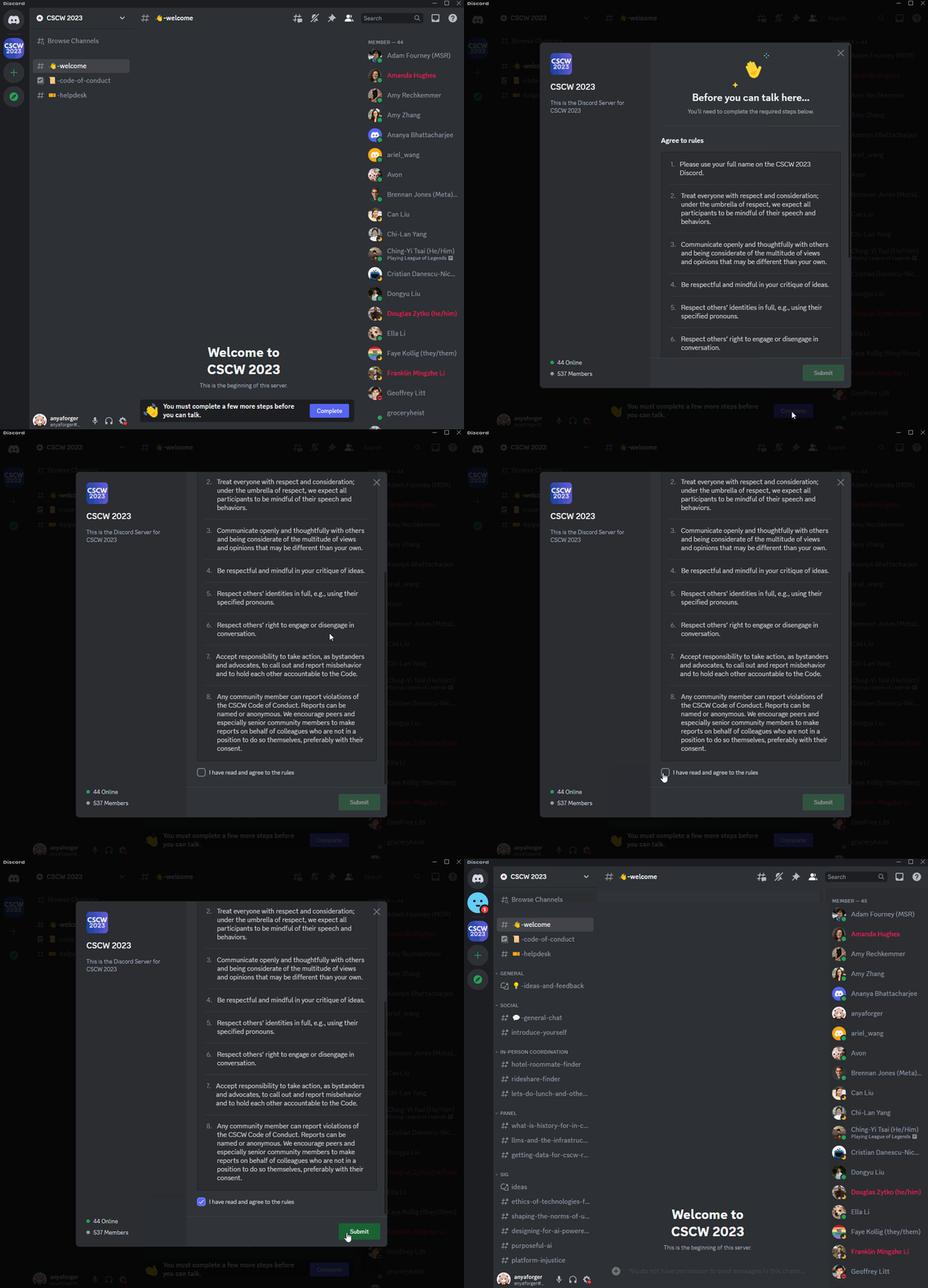
- Congratulations! You now have full access to the CSCW 2023 Discord. You will also receive a direct message from MEE6, a Discord bot welcoming you to the server.

How can I update my screen name?
While we’re sure that you certainly have a cool screen name or user ID, we encourage you to use your full name in the CSCW 2023 Discord so other folks can more easily recognize you. To update your screen name:
- Right click the server name “CSCW 2023” at the top left of the Discord window
- Click “Edit Server Profile”
- Make sure “CSCW 2023” shows up under “choose a server,” then change the server nickname to your full name
- Click “Save Changes” at the bottom of the window

Safety and Privacy Concerns
We hope that the CSCW 2023 Discord will be a welcoming and safe space, but if something happens that makes you uncomfortable or feels unsafe, reach out to any active student volunteer for help. Look for blue names that are labeled “[SV]”. If you don’t receive an SV response in time, email hybrid2023@cscw.acm.org or chairs2023@cscw.acm.org.
In addition, please remember that you always have the ability to block any users that you don’t want to interact with anymore.
Things to Do on Discord
- Stop by the #helpdesk to get Discord or general conference help
- Find people to hand out with in #lets-do-lunch-and-other-things
- Participate in discussions on specific topics, around careers (job postings, PhD students, etc.) or research topics
- Continue asynchronous conversations for panels and SIGs
- For paper sessions:
- Remote participants can ask questions via Discord to, time willing, be answered live during the panel session
- Anyone can further discuss the papers and ask more questions of the paper authors, who can respond asynchronously
- Meet people, find community, and discuss the awesome research happening at CSCW!